> ## Documentation Index
> Fetch the complete documentation index at: https://docs.appminis.io/llms.txt
> Use this file to discover all available pages before exploring further.
# Đánh giá
> Hướng dẫn xem, phản hồi, bật/tắt và lọc các đánh giá sản phẩm của khách hàng.
Tại phần Quản lý sản phẩm, truy cập tab Đánh giá
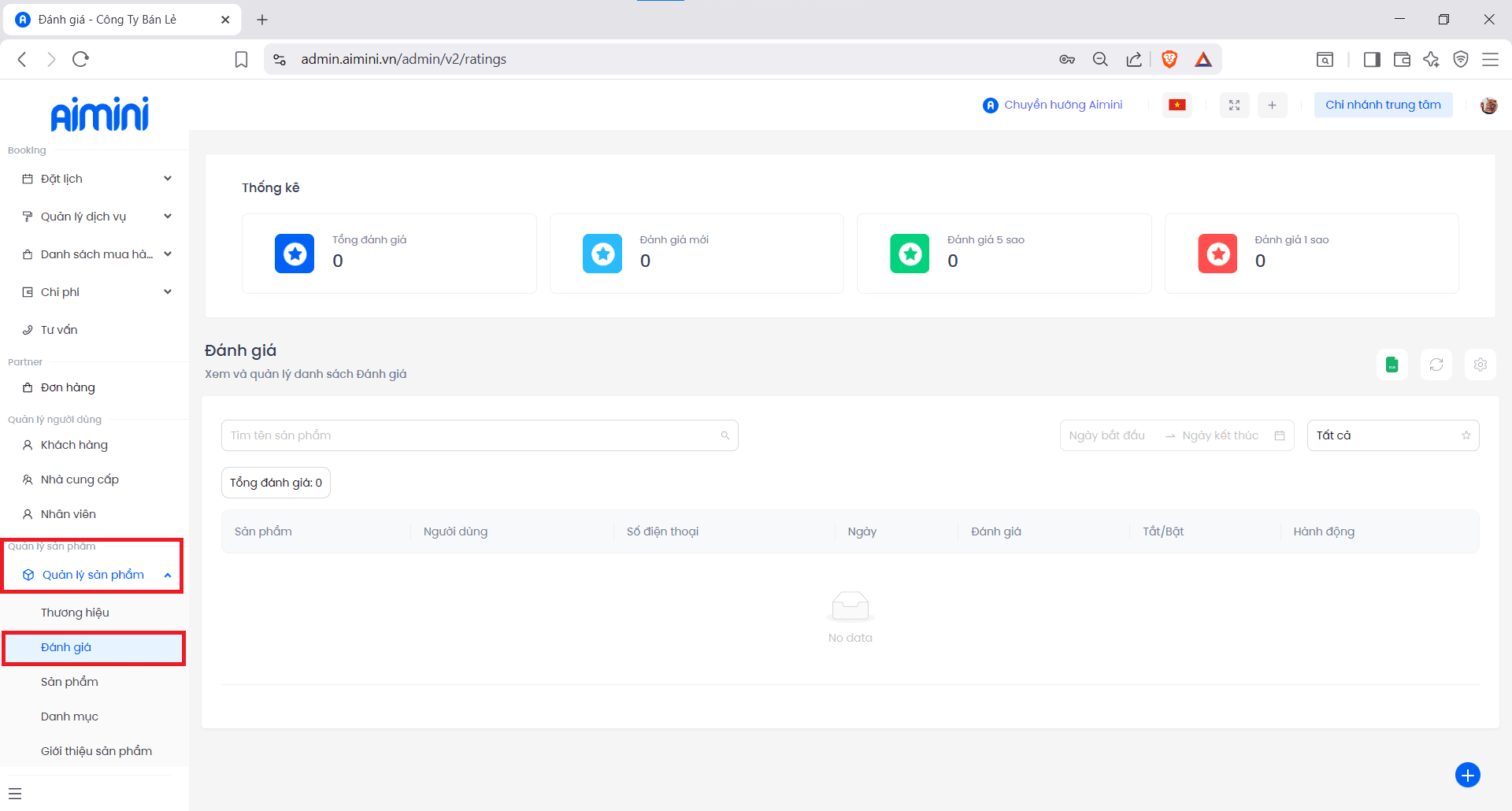 Ở giao diện tổng quan, người dùng có thể xem các thống kê đánh giá của khách hàng cho từng loại sản phẩm
* Chọn icon để có thể chỉnh sửa và phản hồi đánh giá của khách hàng
Ở giao diện tổng quan, người dùng có thể xem các thống kê đánh giá của khách hàng cho từng loại sản phẩm
* Chọn icon để có thể chỉnh sửa và phản hồi đánh giá của khách hàng
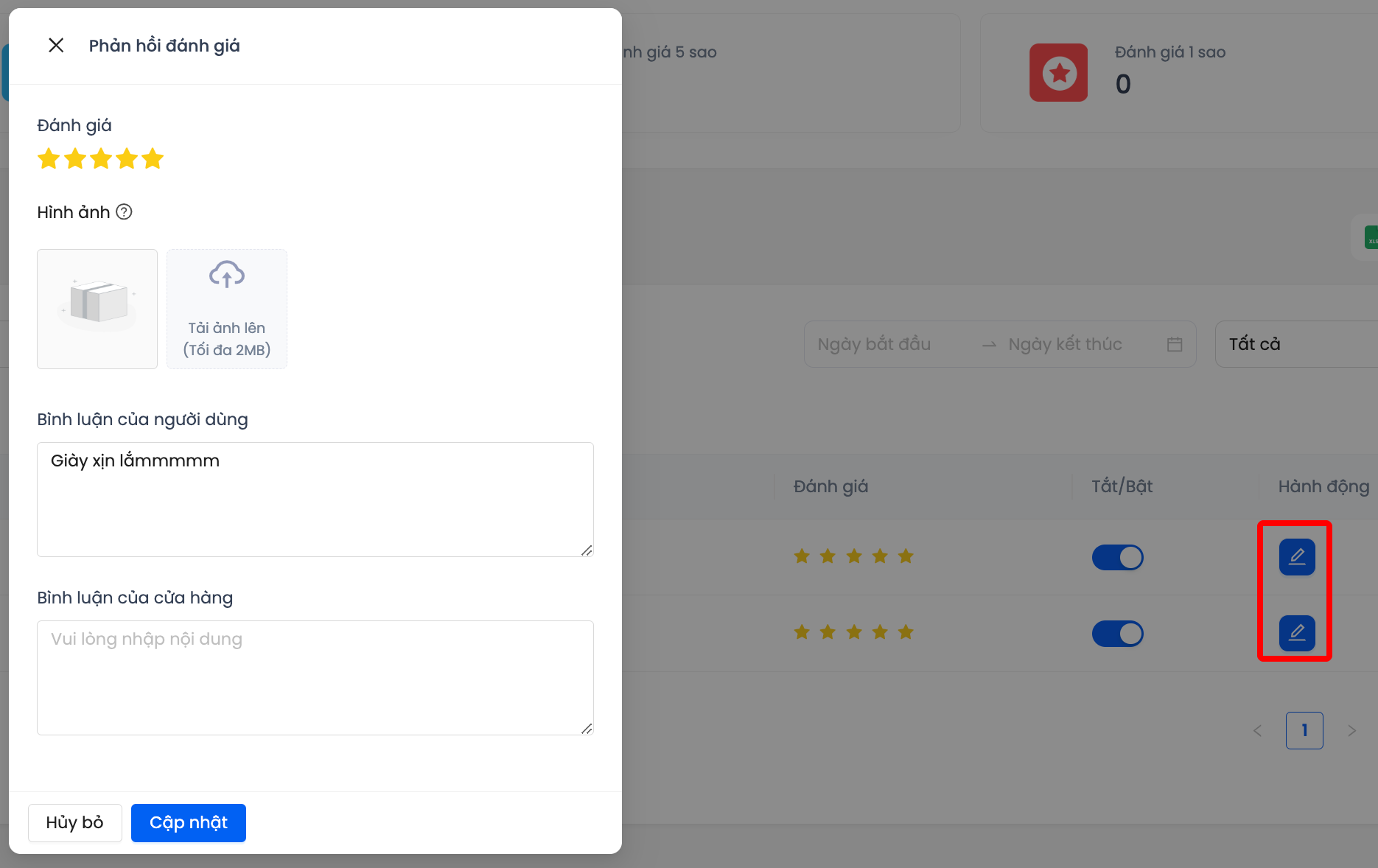 * Chọn icon để bật/tắt đánh giá của khách hàng
 * Người dùng có thể tìm kiếm đánh giá theo tên sản phẩm hoặc lọc các đánh giá theo ngày được khởi tạo, theo số sao mà khách hàng đánh giá để hiển thị kết quả như yêu cầu
